Is Your Home Office Electrically Safe?
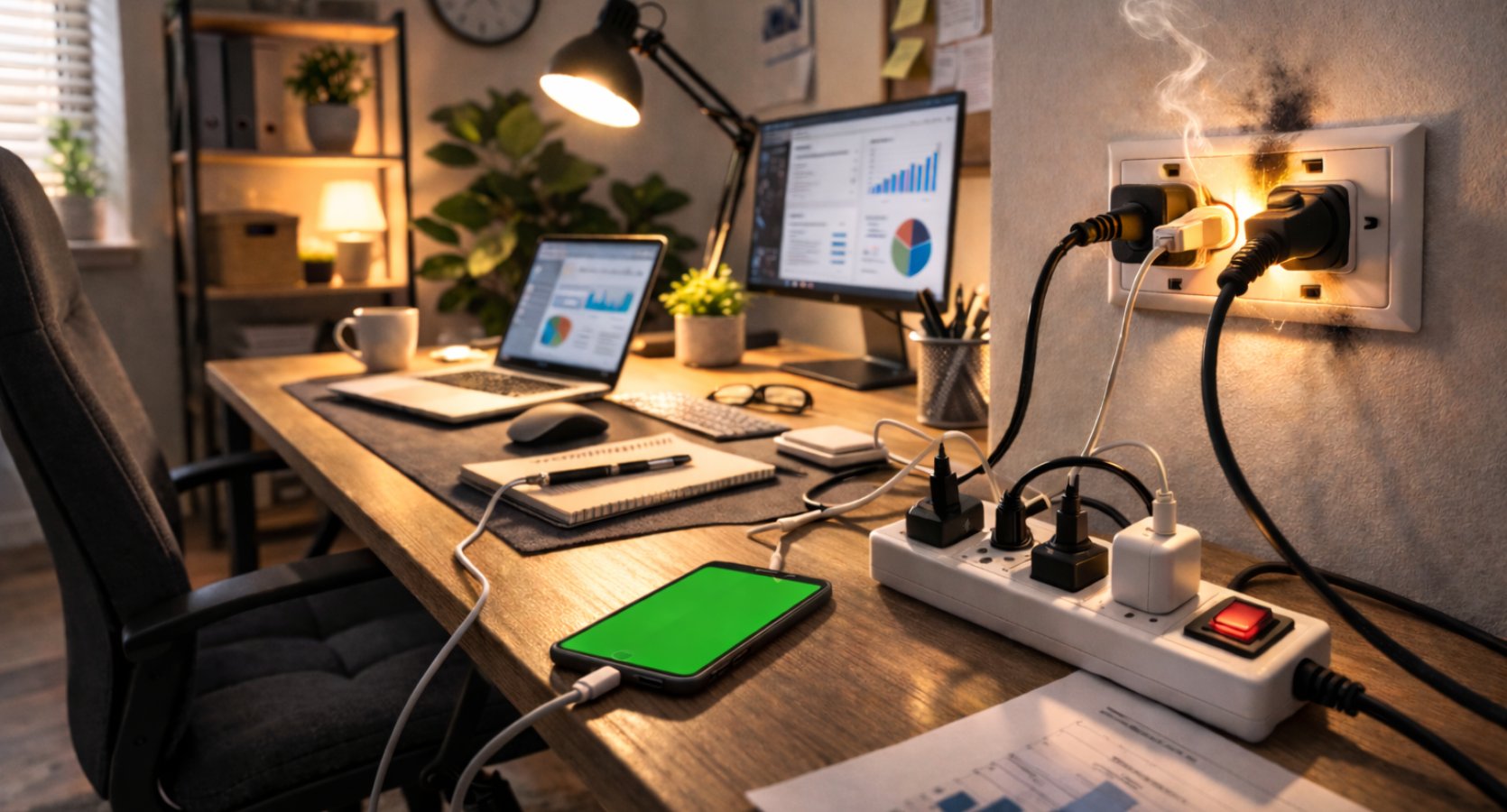
Your home office might look harmless, but with a tangle of monitors, chargers, printers, and that one suspiciously warm power board, it could be quietly begging for trouble. This guide breaks down the most common electrical risks in Brisbane home offices, why older homes struggle with modern work-from-home demands, and the upgrades that can keep your workspace safe, stable, and surge-proof.
Is Your Home Office Electrically Safe?
Working from home has become normal for many Brisbane professionals. Spare bedrooms, dining areas and even garages have been converted into home offices.
While the workspace may look comfortable and productive, many home offices are not designed with proper electrical planning in mind.
Computers, monitors, printers, routers, chargers and lighting can quickly overload outlets and circuits that were originally intended for a simple bedroom or study.
Without proper electrical setup, a home office can become one of the most overloaded areas in the house.
Understanding the electrical risks and making a few smart upgrades can keep your workspace safe and reliable.
Why Home Offices Create Electrical Demand
Modern workspaces rely heavily on technology.
A typical home office may include:
Desktop computer or laptop
Two or more monitors
Printer or scanner
Wi-Fi router or modem
Desk lighting
Phone and device chargers
Speakers or docking stations
Each device may only draw a small amount of power individually, but together they create a continuous electrical load.
If everything runs from one outlet or power board, the circuit can become overloaded.
1. Too Many Devices on One Power Board
One of the most common home office electrical problems is overloading a single power board.
It usually happens because there are not enough outlets nearby.
A typical setup might include:
Computer
Two monitors
Printer
Router
Laptop charger
Phone charger
Desk lamp
That’s seven devices connected to one outlet.
While power boards are convenient, they should not replace proper electrical infrastructure.
Overloading a power board can lead to:
Overheating
Circuit breaker trips
Electrical faults
Increased fire risk
A safer solution is installing additional power points where they are needed.
Internal link suggestion: power point installation.
2. Insufficient Power Points
Many Brisbane homes were built before remote work became common.
Bedrooms that now function as offices may only have one or two outlets.
This forces homeowners to rely on extension leads or multi-plug adapters.
Signs your home office needs more outlets include:
Power boards in constant use
Extension leads across the floor
Devices regularly unplugged and swapped
Overcrowded outlets
Installing additional power points can make the workspace safer and more practical.
3. Circuits Not Designed for Office Equipment
Although computers use relatively little electricity compared to heaters or ovens, a home office can run for many hours every day.
When combined with other appliances on the same circuit, the electrical load can build up.
For example, the same circuit might also power:
Bedroom lighting
Phone chargers
Air conditioning
Nearby outlets
This can cause:
Circuit breakers to trip
Lights to dim when equipment starts
Unstable power supply for electronics
In some cases, installing a dedicated circuit for the home office improves reliability and safety.
Internal link suggestion: electrical upgrades Brisbane.
4. Poor Cable Management Creates Hazards
Home office wiring often becomes messy over time.
Multiple cables running across floors or desks can create risks such as:
Tripping hazards
Damaged cables
Strained plugs and outlets
Loose cables can also lead to overheating if they become kinked or pinched.
Simple cable management solutions such as cable trays or wall outlets can improve both safety and appearance.
5. Sensitive Electronics Need Stable Power
Office equipment such as computers and networking devices can be sensitive to power fluctuations.
Electrical problems that affect equipment may include:
Voltage drop
Unstable circuits
Overloaded outlets
These issues may cause:
Computer crashes
Data loss
Equipment damage
Ensuring proper wiring and circuit capacity helps protect valuable electronics.
6. Surge Protection Is Often Overlooked
Many home offices contain expensive equipment.
Power surges caused by storms, grid fluctuations or electrical faults can damage devices instantly.
Surge protection can help safeguard equipment such as:
Computers
Routers
Network storage devices
Printers
Brisbane’s summer storms can produce significant electrical surges, making surge protection particularly important.
Internal link suggestion: electrical safety inspections.
7. Older Homes May Need Electrical Upgrades
Many Brisbane homes built decades ago were designed for minimal electronics.
Today’s work-from-home environment introduces far more electrical demand.
Older homes may require upgrades such as:
Additional circuits
More power points
Switchboard upgrades
Load balancing
Internal link suggestion: switchboard upgrades.
These upgrades help ensure the electrical system can safely support modern usage.
Electrical Safety Tips for Home Offices
To improve safety in your workspace:
Avoid overloading power boards
Install sufficient outlets
Keep cables organised and protected
Use surge protection for electronics
Ensure equipment has proper ventilation
Avoid running cables under rugs
These simple measures can reduce electrical risks and create a safer workspace.
When to Call a Licensed Electrician
You should consider a professional electrical inspection if:
Your office relies heavily on power boards
Circuit breakers trip while working
Lights dim when devices turn on
Outlets feel warm during use
You plan to add more equipment
Electrical work in Queensland must be completed by licensed electricians under the Electrical Safety Act 2002 (QLD).
Professional installation ensures safe wiring and compliance with Australian electrical standards.
FAQs: Home Office Electrical Safety
Can a home office overload a circuit?
Yes. Multiple devices running continuously can overload a circuit, especially if other appliances share the same wiring.
Is it safe to plug computers into power boards?
Power boards are generally safe for low-load electronics, but they should not be overloaded with too many devices.
Should a home office have its own circuit?
In larger setups or equipment-heavy offices, a dedicated circuit can improve reliability and electrical safety.
How many power points should a home office have?
Most home offices benefit from at least 6–8 power points to support computers, monitors and additional devices.
Should surge protection be used for office equipment?
Yes. Surge protection helps prevent damage from electrical spikes caused by storms or power fluctuations.
Make Your Home Office Safer and More Reliable
If your Brisbane home office relies on power boards and extension leads, it may be time for an electrical upgrade.
Exclusive Electrical & Air helps homeowners create safe and efficient workspaces with services including:
Power point installation
Electrical circuit upgrades
Switchboard upgrades
Electrical safety inspections
Electrical fault diagnosis
Ensuring your home office is electrically safe protects both your equipment and your productivity.